Chroma Launcher
 |
 |
 |
 |
Let’s face it: most people’s phone homescreens are a mess. App icons are haphazardly placed across random pages, sometimes even duplicated, and you have to go through every page and visually scan every icon to find the one you were looking for, because nothing is organized. Default homescreen apps give you a plethora of options to organize your digital life: you can have multiple pages, each with a grid of icons that you have full control over, including making it sparse, and you can also pool icons into folders. For the digitally inclined and organization lovers, this amount of control is amazing; it allows you to really configure your homescreen layout for your personal preferences and use case. But for their moms (and really most people), this is overwhelming and incomprehensible. To combat that, most homescreens have an “all apps” view that shows all your apps in a single grid sorted alphabetically. This is better, but it adds yet another layer of complexity to homescreens, and I think we can do better.
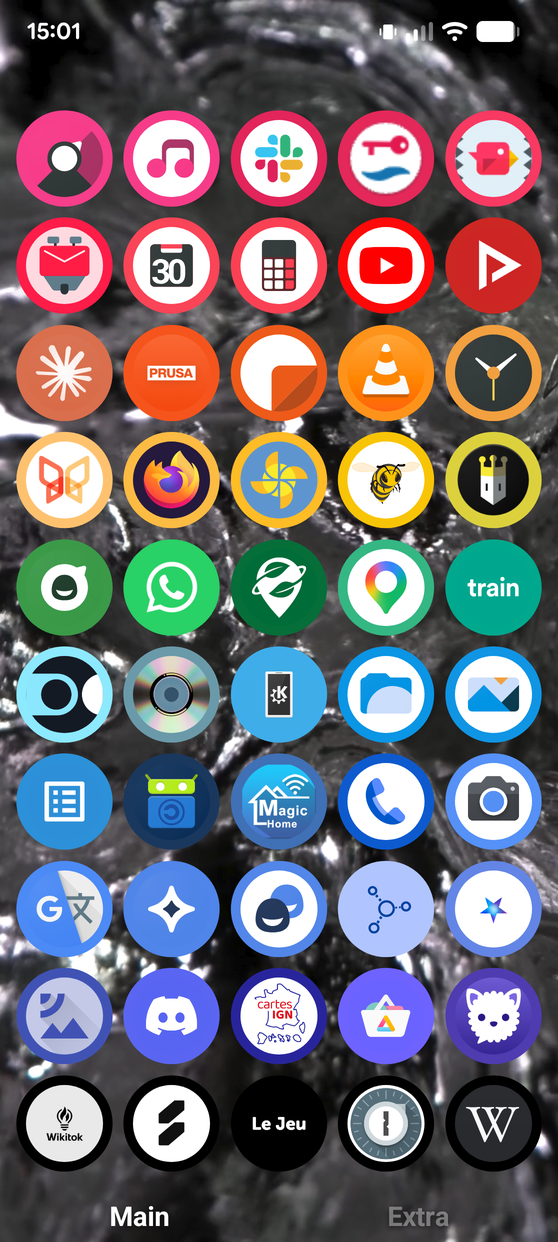
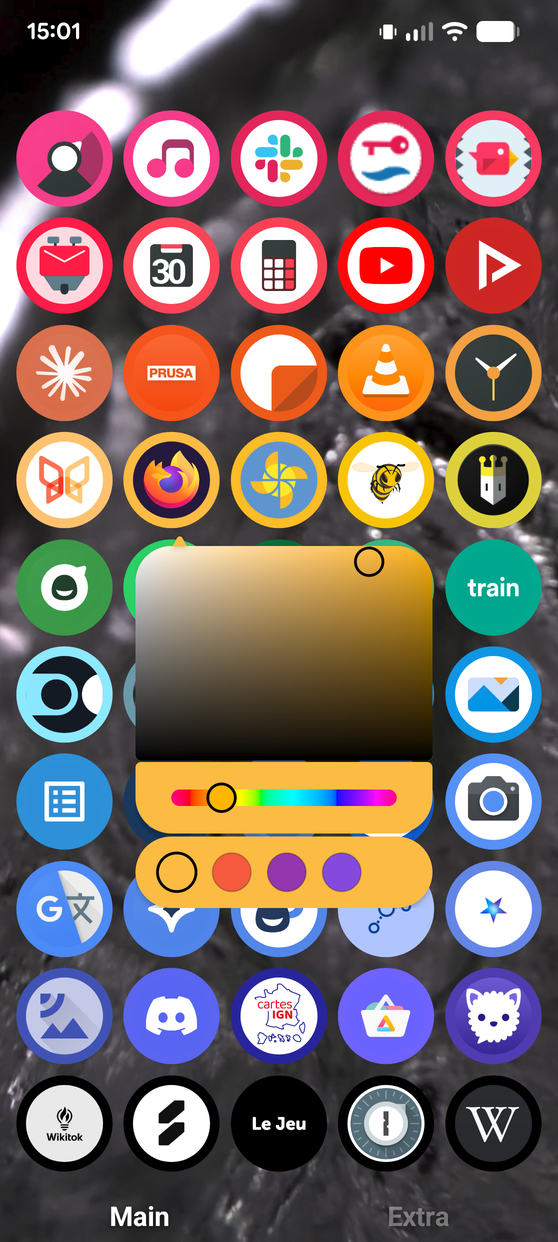
Chroma Launcher1 is my vision for an easier-to-use and more fun homescreen. As the “Chroma” name suggests, its core feature is automatically sorting apps by color. Automatic sorting ensures that icons are always organized, and doing it by color makes it easier to find things than alphabetical sorting, IMO. Finding icons by color works subconsciously: if I ask you to “find the red apps” in the first screenshot above, your eyes find them immediately without having to think. Alphabetical sorting, on the other hand, requires you to read text, something you cannot do subconsciously. You can intuit that an app that starts with a “V” will be near the end of the list, but that’s about it. What also helps color sorting is that brands spend a lot of effort associating themselves with a color: YouTube is red, WhatsApp is green, Facebook is blue, etc. That does not always work: you might not remember the color of the random app that you use about once a year to pay your taxes, and some brands like Google use a rainbow of colors for their branding, but overall it works surprisingly well. App color detection is done automatically, but you can override each app’s color manually, as can be seen in screenshot 3. Finally, sorting apps by color results in a very pleasing rainbow of icons on your homescreen.
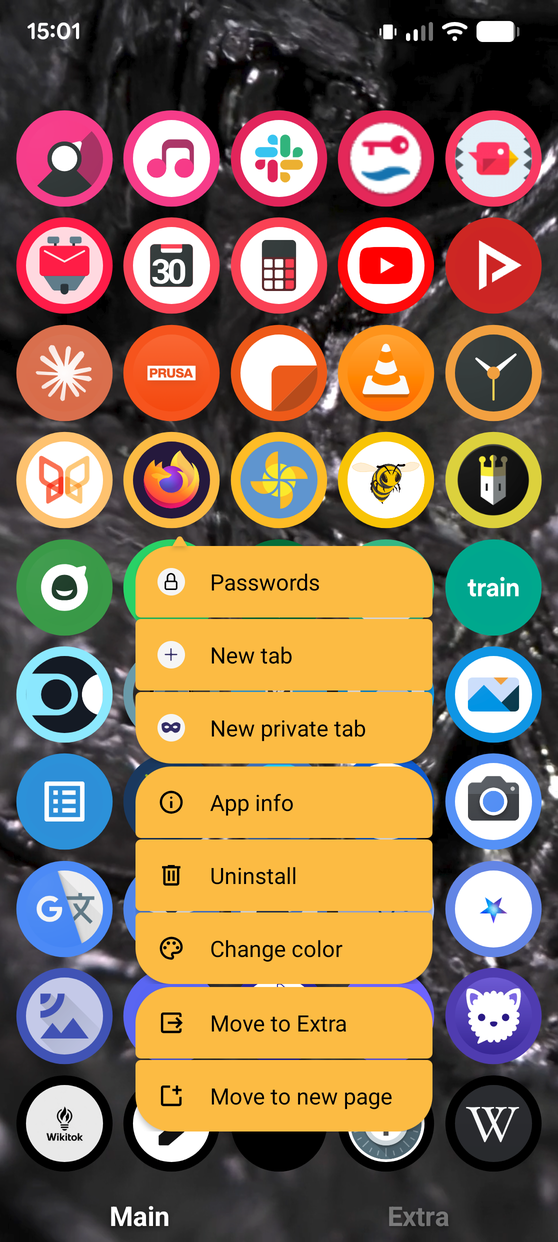
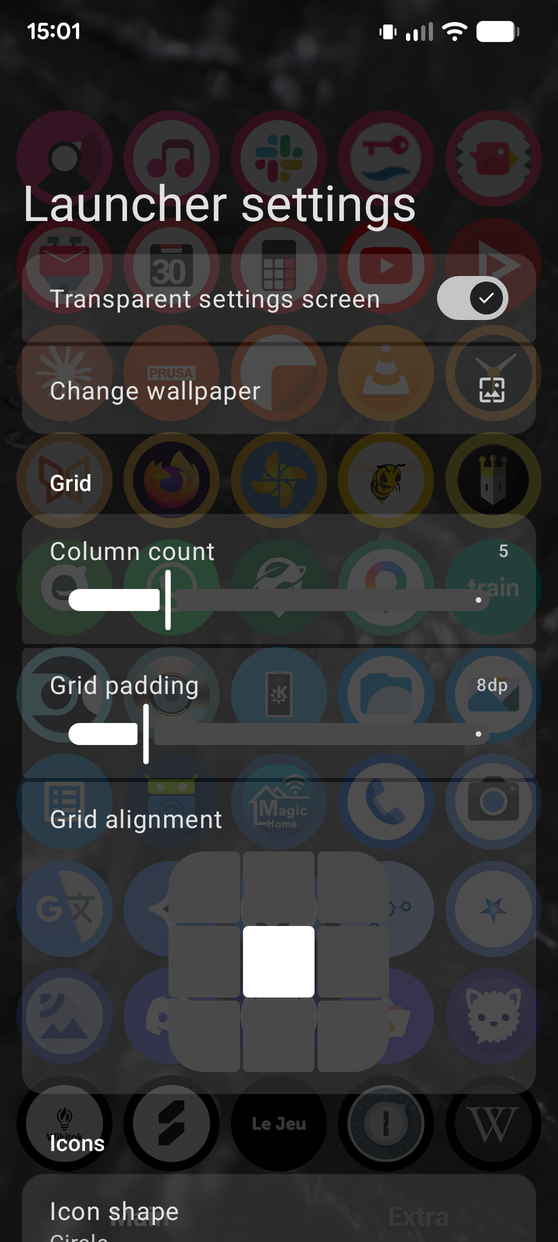
Apart from color sorting, Chroma Launcher also allows you to sort your apps across multiple pages. Pages are named, making it clear what each page is for, and fusing the overlapping concepts of pages and folders from the traditional homescreen. By default, all apps are on the “Main” page, and you can move rarely used apps to the “Extra” page. This makes it really easy to use for average users, but you can also add and rename pages as you please if you want a different setup. Chroma Launcher also has many other customization options, and I encourage you to download the app to discover them :)
Chroma Launcher is another one of those projects that I started many years ago but kind of abandoned due to lack of time. But now, with the power of Claude and being unemployed, I was able to massively refresh and improve it in just a couple of days. What a time to be alive!
Clone it at https://gitlab.com/rcmz/chromalauncherreborn
Install it at https://play.google.com/store/apps/details?id=com.rcmz.chromalauncher (blocked right now, hopefully re-accepted soon)
-
“Launcher” is just Android slang for homescreen app. ↩︎